

Most business leaders think workforce automation just means replacing spreadsheets with software. That narrow view misses the revolution happening right now. Workforce automation in 2026 integrates artificial intelligence to transform how your entire organization operates, enhancing both efficiency and employee experience simultaneously. This isn’t about eliminating jobs. It’s about empowering your team to focus on strategic work while intelligent systems handle repetitive processes. You’ll learn what workforce automation actually means, how to choose the right technology, and practical steps to implement solutions that deliver measurable results in your organization.
Table of Contents
- Understanding Workforce Automation: Definition And Core Concepts
- Comparing Workforce Automation Technologies And Software In 2026
- How Workforce Automation Enhances Business Efficiency And Employee Engagement
- Implementing Workforce Automation: Best Practices And Challenges
- Enhance Your Workforce Automation With Airitual
- Frequently Asked Questions
Key takeaways
| Point | Details |
|---|---|
| Workforce automation transforms operations | AI-driven systems enhance efficiency while improving employee engagement across business functions. |
| Agentic AI enables intelligent agents | Reusable design patterns create autonomous agents that handle complex workflows beyond simple task automation. |
| Technology choice impacts success | Selecting the right automation software in 2026 determines scalability, integration capability, and business fit. |
| Implementation requires strategic planning | Successful deployment involves stakeholder engagement, pilot testing, and addressing integration challenges early. |
Understanding workforce automation: definition and core concepts
Workforce automation represents a fundamental shift from traditional task automation to intelligent, AI-driven transformation of business processes. Unlike simple automation that replaces individual manual tasks, workforce automation orchestrates entire workflows, integrates decision-making capabilities, and adapts to changing business conditions. This comprehensive approach touches every aspect of your operations, from customer service to supply chain management.
At the heart of modern workforce automation lies the concept of agentic AI. Agentic patterns are reusable design templates that describe the structure and behavior of individual agents, enabling organizations to build intelligent systems that operate autonomously within defined parameters. These agents don’t just follow scripts. They analyze context, make informed decisions, and learn from outcomes to improve performance over time.
The distinction between simple automation and workforce automation matters for your strategic planning. Simple automation handles repetitive tasks like data entry or email responses. Workforce automation encompasses complex processes requiring judgment, coordination across systems, and adaptation to variable inputs. When you deploy workforce automation, you’re creating an intelligent layer that works alongside your team, not just replacing manual steps.
Pro Tip: Start by mapping your current workflows to identify processes with high repetition but variable inputs, these are prime candidates for agentic AI implementation that delivers immediate value.
The benefits extend beyond cost reduction. Operational efficiency improves through faster processing, reduced errors, and 24/7 availability. Employee engagement rises when team members shift from mundane tasks to creative problem solving and strategic initiatives. This dual impact positions workforce automation as a competitive advantage in the rise of a new labor market where human creativity combines with machine precision.
Key capabilities that define workforce automation include:
- Intelligent decision making based on real-time data analysis and historical patterns
- Cross-system integration that connects disparate tools into unified workflows
- Adaptive learning that improves performance through continuous feedback loops
- Natural language processing enabling human-like interaction with customers and employees
- Predictive analytics that anticipate needs before they become urgent
Understanding these foundations prepares you to evaluate technologies and make informed decisions about implementation. The goal isn’t to automate everything possible. It’s to strategically deploy automation where it amplifies your team’s capabilities and delivers measurable business outcomes.
Comparing workforce automation technologies and software in 2026
Navigating the workforce automation landscape requires understanding three primary technology categories, each serving different organizational needs and maturity levels. Robotic Process Automation (RPA) handles structured, rule-based tasks across existing applications without requiring system changes. Intelligent automation combines RPA with artificial intelligence capabilities like machine learning and natural language processing. Agentic AI represents the most advanced category, deploying autonomous agents that reason, plan, and execute complex workflows with minimal human intervention.
The software market in 2026 offers diverse solutions tailored to specific business requirements. Top automation software 2026 platforms differentiate themselves through integration capabilities, scalability, industry specialization, and support ecosystems. Your choice impacts not just initial deployment but long-term adaptability as your automation strategy evolves.

| Feature | RPA Solutions | Intelligent Automation | Agentic AI Platforms |
| — | — | — |
| Complexity Handling | Low to medium | Medium to high | High to very high |
| Learning Capability | Rule-based only | Pattern recognition | Autonomous reasoning |
| Integration Effort | Minimal changes | Moderate integration | Deep system connection |
| Deployment Speed | Weeks | Months | Months to quarters |
| Customization Level | Limited templates | Configurable workflows | Fully adaptable agents |
Evaluating AI automation platforms 2026 4 requires looking beyond feature lists to assess strategic fit. Integration capability determines how smoothly automation connects with your existing technology stack. A platform that requires extensive custom coding creates technical debt and slows future enhancements. Look for solutions offering pre-built connectors to your core systems and APIs that support flexible integration patterns.
Scalability considerations extend beyond handling increased transaction volume. Can the platform support new use cases as your automation strategy matures? Does the licensing model accommodate growth without penalizing success? Enterprise-grade solutions provide governance frameworks, role-based access controls, and audit trails that become critical as automation expands across departments.
Pro Tip: Request proof of concept deployments focused on your specific workflows rather than generic demonstrations, this reveals how the platform handles your unique business logic and integration requirements.
Vendor support and community resources significantly impact implementation success. Active user communities provide troubleshooting assistance, share best practices, and develop extensions that enhance platform capabilities. Professional services availability matters when you need expert guidance for complex deployments or specialized industry applications.
Cost structures vary widely across platforms. Some charge per bot or transaction, others use subscription models based on user counts or processing capacity. Hidden costs often emerge in areas like:
- Professional services for initial configuration and ongoing optimization
- Training programs to build internal expertise
- Maintenance fees for updates and security patches
- Integration tools for connecting legacy systems
- Storage and computing resources for AI model training
The right technology choice aligns with your current capabilities while supporting future growth. Start with clear requirements based on your priority use cases, then evaluate platforms against those specific needs rather than chasing the most feature-rich solution.
How workforce automation enhances business efficiency and employee engagement
Workforce automation delivers efficiency gains through systematic elimination of manual handoffs, reduction of processing errors, and acceleration of routine workflows. The impact compounds across your organization as automated processes free resources for higher-value activities. Understanding the specific mechanisms driving these improvements helps you identify opportunities and measure results.
Streamlining workflows begins with mapping current processes to identify bottlenecks, redundant steps, and error-prone manual interventions. Automation targets these friction points systematically:
- Intelligent routing directs work items to appropriate resources based on content analysis, priority rules, and capacity availability.
- Automated validation checks data quality at entry points, preventing errors from propagating through downstream processes.
- Real-time status updates eliminate follow-up emails and status meetings, giving stakeholders visibility without manual reporting.
- Exception handling routes unusual cases to human experts while processing standard transactions autonomously.
- Continuous monitoring identifies process deviations and performance degradation before they impact service levels.
Error reduction represents one of the most immediate efficiency benefits. Manual data entry typically produces error rates between 1% and 4%, depending on task complexity and operator fatigue. Automated data capture and validation reduces errors to near zero for structured information. This accuracy improvement eliminates costly rework, prevents compliance issues, and builds customer trust through reliable service delivery.
Employee engagement benefits emerge from fundamentally reshaping how team members spend their time. Nobody joins your organization excited about copying data between systems or chasing approval signatures. AI boosts efficiency and engagement by handling these tasks automatically, creating space for meaningful work that leverages human creativity and judgment.
Automation transforms employee experience by eliminating the frustration of repetitive work and empowering teams to focus on problem solving, innovation, and customer relationships that drive real business value.
The engagement impact extends beyond task elimination. Automated workflows provide employees with better tools, faster information access, and reduced administrative burden. Customer service representatives spend more time understanding customer needs and less time navigating multiple systems. Analysts focus on interpreting insights rather than compiling reports. Managers dedicate attention to coaching and strategy instead of status tracking.
Industry applications demonstrate the breadth of automation impact. Healthcare organizations automate patient scheduling, insurance verification, and medical record updates, allowing clinical staff to focus on patient care. Manufacturing operations use intelligent automation for quality control, inventory management, and predictive maintenance. Financial services deploy automation for loan processing, fraud detection, and regulatory reporting. Retail businesses automate inventory replenishment, pricing optimization, and personalized marketing.
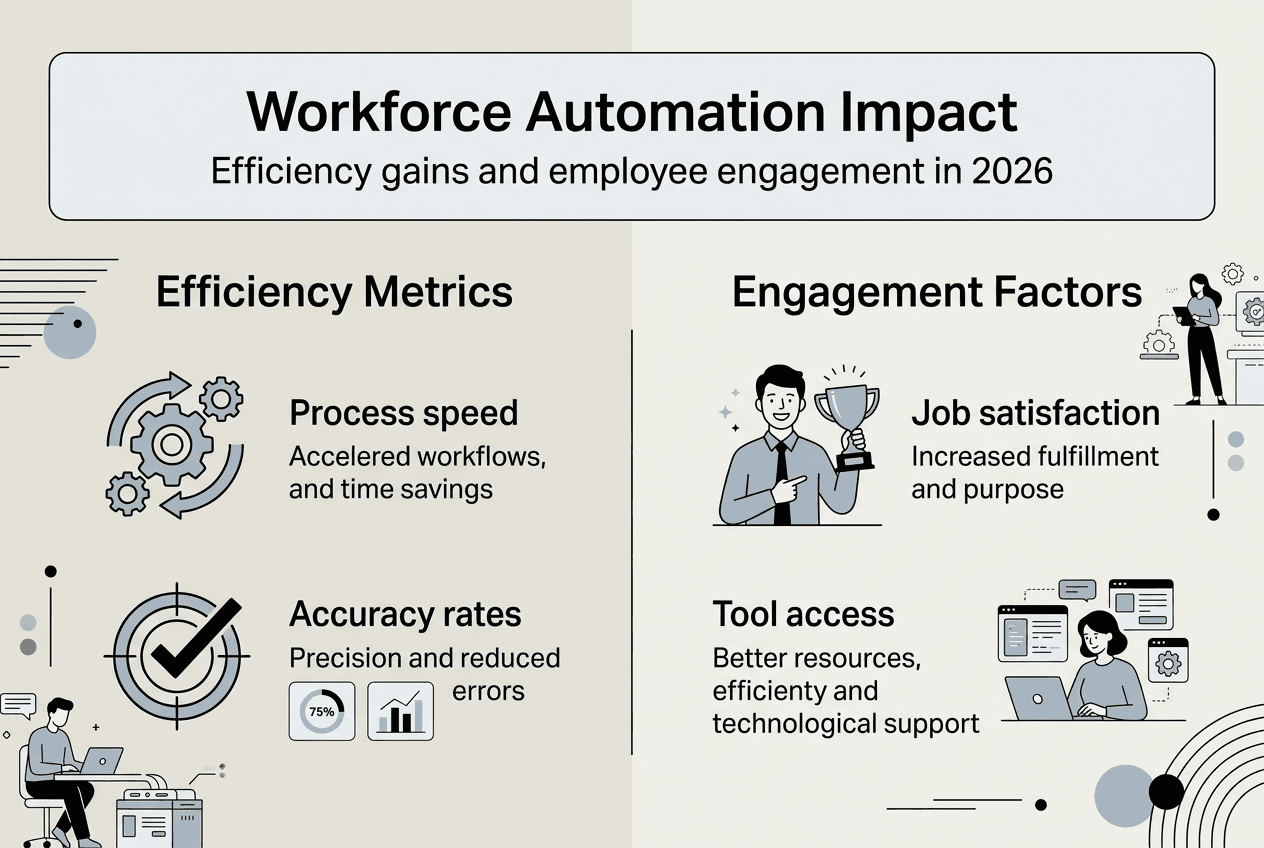
Measuring the combined impact on efficiency and engagement requires tracking both operational metrics and employee satisfaction indicators. Monitor processing times, error rates, and cost per transaction alongside employee survey scores, retention rates, and time allocation to strategic projects. The most successful implementations show improvement across both dimensions, validating that workforce automation enhances business performance while improving the employee experience.
Pro Tip: Survey employees before and after automation deployment to capture qualitative feedback on work satisfaction and identify unexpected benefits or concerns that quantitative metrics might miss.
Implementing workforce automation: best practices and challenges
Successful workforce automation implementation follows a structured approach that balances ambition with pragmatism. Rushing into broad deployment without proper planning creates technical debt, user resistance, and disappointing results. A phased methodology builds momentum through early wins while establishing foundations for sustainable expansion.
Begin with strategic planning that aligns automation initiatives with business objectives. Identify processes where automation delivers the highest value relative to implementation complexity. Prioritize use cases offering quick wins that demonstrate value and build organizational confidence. Document current state workflows in detail, capturing not just happy path scenarios but exception handling, approval chains, and integration points.
Pilot testing validates your approach before committing to full-scale deployment. Select a contained process with measurable outcomes and engaged stakeholders willing to provide feedback. The pilot phase reveals integration challenges, uncovers hidden process variations, and tests whether the chosen technology performs as expected in your environment. Plan for 60 to 90 days of pilot operation, allowing time for initial adjustments and performance stabilization.
Scaling from pilot to production requires governance frameworks that maintain quality while accelerating deployment. Establish centers of excellence that develop standards, share best practices, and provide technical guidance to business units. Create reusable components and templates that speed development of new automation workflows. Implement change management processes that balance innovation with stability.
Common challenges threaten implementation success if not addressed proactively. Employee resistance stems from fear of job loss, skepticism about technology effectiveness, or frustration with poorly designed automation that creates new problems. Address these concerns through transparent communication about automation goals, involvement of frontline employees in solution design, and commitment to retraining rather than workforce reduction.
| Pitfall | Best Practice |
|---|---|
| Automating broken processes | Optimize workflows before automating them to avoid embedding inefficiency |
| Ignoring change management | Invest in training, communication, and stakeholder engagement from project start |
| Underestimating integration complexity | Conduct technical assessments early and budget for integration development |
| Lacking clear success metrics | Define measurable outcomes and track progress against baseline performance |
| Choosing technology before use cases | Start with business needs, then select technology that fits requirements |
Integration issues arise when automation platforms struggle to connect with legacy systems, proprietary databases, or applications lacking modern APIs. Mitigate these risks through thorough technical discovery, proof of concept testing with actual systems, and budget allocation for custom integration development when necessary. Sometimes the right answer involves modernizing underlying systems rather than forcing automation onto outdated infrastructure.
Data privacy and security concerns require careful attention, especially when automation accesses sensitive customer information or proprietary business data. Implement role-based access controls, encrypt data in transit and at rest, maintain audit trails of automated actions, and ensure compliance with relevant regulations. Security considerations should inform technology selection and architecture design from the beginning.
Pro Tip: Create an automation champions network across departments to identify opportunities, share lessons learned, and build grassroots support that accelerates adoption beyond top-down mandates.
Ongoing optimization ensures automation continues delivering value as business needs evolve. Monitor performance metrics, gather user feedback, and identify opportunities for enhancement. How to automate workflows business operations provides frameworks for continuous improvement that keep automation aligned with strategic objectives. Regular reviews catch performance degradation, identify new automation opportunities, and validate that deployed solutions still address current business priorities.
Building internal expertise reduces dependence on external consultants and enables faster response to changing requirements. Invest in training programs that develop automation skills across technical and business roles. Business automation workflow efficiency improves when teams understand both the technology capabilities and the business context where automation applies.
Enhance your workforce automation with Airitual
Transforming workforce automation from concept to reality requires expert guidance, practical tools, and ongoing support. Airitual provides comprehensive resources designed specifically for business leaders navigating AI implementation. Join our AI webinar series to learn directly from practitioners who have successfully deployed automation across diverse industries. These sessions cover real-world case studies, implementation frameworks, and emerging trends shaping workforce automation in 2026.
Building internal capabilities accelerates your automation journey and reduces long-term costs. Our AI training programs equip your teams with practical skills for identifying automation opportunities, evaluating technologies, and managing implementation projects. Training spans technical and business audiences, ensuring everyone understands how automation supports organizational goals.
Detailed implementation guides provide step-by-step frameworks for common automation scenarios. The automate workflows guide walks through process mapping, technology selection, pilot deployment, and scaling strategies based on proven methodologies. Consulting services offer personalized support for complex implementations requiring specialized expertise or industry-specific knowledge.
Pro Tip: Schedule a strategy session to assess your current automation maturity, identify high-impact opportunities, and develop a roadmap aligned with your business objectives and resource constraints.
Frequently asked questions
What tasks can workforce automation handle effectively?
Workforce automation excels at repetitive, rule-based processes like data entry, document processing, customer inquiry routing, and report generation. It also handles complex workflows requiring coordination across multiple systems, such as employee onboarding, invoice processing, and compliance reporting. The key is sufficient process structure and data availability to train intelligent systems.
How does workforce automation impact employee roles?
Automation shifts employee focus from routine tasks to strategic activities requiring human judgment, creativity, and relationship building. Rather than eliminating positions, successful implementations redeploy talent to higher-value work. Employee engagement for hr often improves as team members spend time on meaningful projects instead of administrative drudgery.
What are the first steps to begin workforce automation?
Start by identifying high-volume, repetitive processes with clear business rules and measurable outcomes. Document current workflows in detail, including exception scenarios and integration requirements. Assemble a cross-functional team combining business process owners with technical resources. Select a contained pilot project that demonstrates value quickly without requiring extensive system changes.
How is agentic AI different from traditional automation?
Traditional automation follows predefined rules and scripts without deviation. Agentic AI deploys autonomous agents that analyze context, make decisions based on goals rather than rigid rules, and adapt behavior through learning. These agents handle ambiguity, coordinate complex multi-step processes, and improve performance over time without constant human intervention.
Can workforce automation be customized per industry?
Absolutely. While core automation technologies apply across sectors, effective implementations require industry-specific customization addressing unique workflows, compliance requirements, and business models. Healthcare automation handles patient privacy regulations differently than retail automation manages inventory. Financial services automation incorporates fraud detection patterns irrelevant to manufacturing operations. Choose platforms supporting industry-specific templates and partner with vendors understanding your sector’s particular needs.
Recommended
- How to Automate Workflows for Efficient Business Operations | Artificial Intelligence
- Master Business Automation Workflow for Higher Efficiency | Artificial Intelligence
- Implement Process Automation Workflow for Seamless Efficiency | Artificial Intelligence
- The AI Workforce Is Here: The AI Workforce is here: The Rise of a New Labor MarketThe AI Workforce Is Here: | Artificial Intelligence
Recent Comments