

Process delays and growing public expectations challenge local government managers every day. Intelligent process automation offers more than basic task automation by combining technologies that replicate human judgment in complex workflows. As government agencies worldwide adopt these advanced solutions, they see measurable gains in operational efficiency and service quality. This article explains what sets intelligent process automation apart and how these tools empower your team to deliver better, faster services for your community.
Table of Contents
- Defining Intelligent Process Automation Clearly
- Major Types and Technologies Involved
- How Automation Enhances Public Services
- Common Challenges and Mistakes to Avoid
- Evaluating Costs and Long-Term Impact
Key Takeaways
| Point | Details |
|---|---|
| Understanding IPA | Intelligent Process Automation combines Robotic Process Automation, Artificial Intelligence, and Machine Learning to enhance workflow efficiency beyond traditional automation. |
| Automation Benefits | Implementing IPA can significantly reduce processing times, costs, and error rates in government operations. |
| Strategic Implementation | Start with high-volume, rule-heavy processes for maximum impact and gradually incorporate advanced technologies for broader applications. |
| Monitoring and Evaluation | Establish clear metrics for success before implementation to ensure accountability and measure actual improvements post-automation. |
Defining Intelligent Process Automation Clearly
Intelligent Process Automation (IPA) is not simply automation. It’s the convergence of three distinct technologies that work together to replicate human decision-making in repetitive workflows. While traditional automation handles straightforward, rule-based tasks like data entry, IPA goes further by combining robotic process automation, artificial intelligence, and machine learning to handle exceptions, learn from patterns, and improve over time. For government agencies managing thousands of permit applications, benefit claims, or license renewals, this distinction matters profoundly.
Think of it this way: basic automation is like a vending machine that dispenses the same item every time. Intelligent automation is like a cashier who not only hands you a product but also recognizes when you’re returning an item, processes refunds differently, flags unusual transactions, and learns your preferences for next time. In your daily operations, you encounter situations that don’t fit neatly into standard categories. A resident’s permit application might have incomplete documentation. A zoning variance request might involve conflicting regulations. A procurement process might require judgment calls when vendor bids contain technical nuances. These are the moments where basic automation fails and IPA excels.
The core distinction lies in how IPA components interact:
-
Robotic Process Automation (RPA) handles the mechanical tasks—reading emails, accessing multiple systems, copying data between platforms, generating reports. Think of RPA as your digital worker who never gets tired of repetitive work.
-
Artificial Intelligence and Machine Learning enable the system to understand context and make intelligent decisions. The system recognizes patterns in historical data and can flag outliers or recommend actions without explicit programming for every scenario.
-
Natural Language Processing allows the system to read documents, contracts, and unstructured text—extracting relevant information from a 20-page permit application in seconds, something that would take a human analyst significant time.
When process automation workflows integrate these capabilities, they transform how government agencies operate. Instead of staff manually processing applications in linear sequences, IPA systems work in parallel, handling dozens of cases simultaneously while maintaining accuracy.
The real power of IPA emerges when it handles the exceptions that traditional automation ignores—the cases requiring judgment, context awareness, and adaptive decision-making that previously demanded human review.
Here’s what distinguishes IPA from conventional approaches in your operational context:
A building permit that arrives with all required documents gets processed automatically in 24 hours. A permit with missing structural engineer certifications gets flagged, analyzed for which documents are truly critical versus optional, cross-referenced against similar cases from past years, and routed to the right department head with a summary of what’s needed—all without a human opening a single email. An appeal of a zoning decision gets compared against precedent cases, regulations are automatically mapped, and conflicting interpretation risks are highlighted for your legal team before they spend hours on research.
For mid-level managers, this means your teams shift from execution to oversight. Staff no longer spend their days processing routine applications. Instead, they focus on high-value judgment calls, constituent communication, and process improvement. You get better visibility into bottlenecks because the system tracks every decision point and can identify where delays actually originate.
The difference in tangible outcomes is measurable. Organizations implementing IPA report processing times dropping 60-75%, cost-per-transaction falling by 40-50%, and error rates declining below 2%—compared to typical manual processes where errors run 5-15%. Your agency doesn’t need to add staff to handle increased application volume; the same team handles substantially more work with fewer mistakes.
Pro tip: Start by identifying your highest-volume, most rule-heavy processes—permit applications, license renewals, benefit determinations—and measure their current processing time, cost per transaction, and error rate as your baseline. These tend to be IPA’s highest-impact targets because they generate immediate cost savings and freed-up staff capacity.
Major Types and Technologies Involved
Intelligent Process Automation encompasses several distinct technology categories, each playing a specific role in your government operations. Understanding what each one does helps you identify which problems they can actually solve—and which ones require human judgment regardless. The confusion often arises because vendors use these terms interchangeably, but they’re fundamentally different tools working toward the same outcome.
Robotic Process Automation (RPA) is the foundation layer. It’s software that mimics human actions within digital systems—logging into portals, copying information from one database to another, filling out forms, clicking buttons, reading email attachments. RPA excels at high-volume, repetitive tasks with clearly defined rules. In your agency, this means a bot can process 500 permit applications overnight, extracting key information and populating your internal system, work that previously consumed an entire department’s time. RPA doesn’t understand context or make judgment calls; it follows precise instructions. If a rule changes—like new zoning classifications—you need to update the bot’s instructions.

Machine Learning (ML) adds the intelligence layer. This technology allows systems to learn patterns from historical data without being explicitly programmed for every scenario. Your agency has years of permit decisions, variance approvals, and budget allocations. Machine learning can analyze these patterns to recognize which applications will likely face complications, which zoning requests align with precedent, or which vendor bids present hidden cost risks. The system improves continuously as it processes more cases, identifying patterns humans might miss across thousands of transactions.
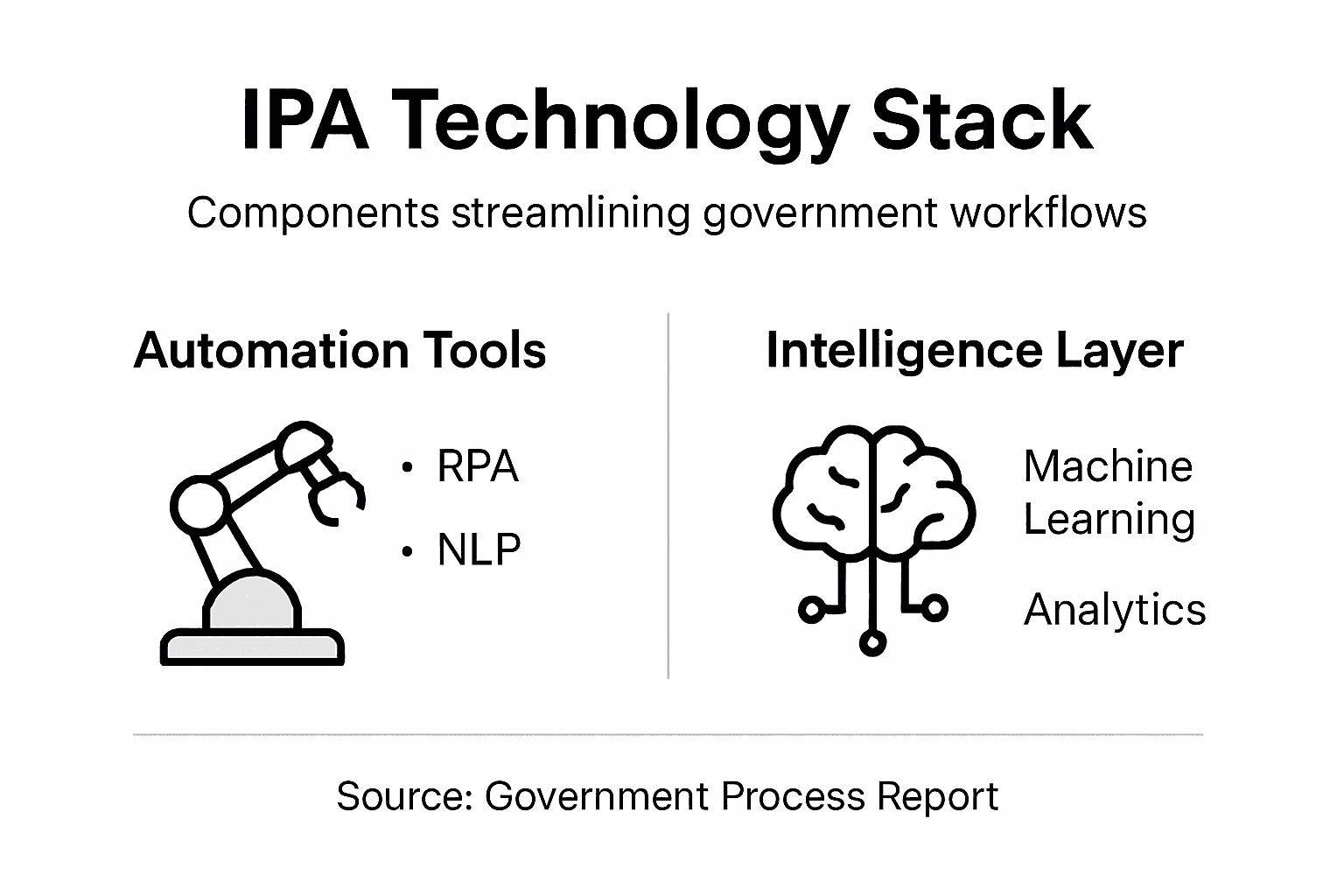
These technologies work together in powerful ways:
To clarify how Intelligent Process Automation components work together, here’s a summary of their distinct roles:
| Component | Core Function | Real-World Example |
|---|---|---|
| Robotic Process Automation | Repeats digital tasks automatically | Extracts data from forms overnight |
| Machine Learning | Learns from data to guide decisions | Flags complex applications proactively |
| Natural Language Processing | Reads unstructured text and documents | Extracts needed info from applications |
| Computer Vision | Analyzes images and scanned documents | Verifies signatures on building plans |
-
RPA handles the mechanical work while ML handles the pattern recognition and decision support
-
Natural Language Processing (NLP) reads unstructured documents—handwritten notes on permit files, email correspondence, contract language—and extracts meaning, eliminating manual data entry
-
Computer Vision analyzes images and documents, checking for completeness of building plans, verifying signatures, or flagging missing seals
-
Predictive Analytics forecasts outcomes and resource needs, helping you understand which applicants will likely appeal decisions or when you’ll face budget pressures
When business automation workflows incorporate these technologies strategically, they transform capability. A permit application arrives. RPA reads the submission, extracts all data, and checks completeness against the requirement checklist. Machine learning flags this as a similar type to 47 previous cases and highlights which currently-pending cases will likely face similar issues. Natural language processing reads the applicant’s engineer notes and maps them to relevant code sections. Computer vision verifies that all required plans carry proper signatures. All of this happens in parallel, within minutes, with a summary dashboard showing your staff exactly what remains.
The critical distinction: RPA is perfect for high-volume routine work, but Machine Learning and NLP are what enable your systems to handle the judgment calls, exceptions, and nuance that make government work complex.
Different government functions use these technologies at different intensities. A permit intake process might be 70% RPA, 20% NLP, 10% machine learning. A benefit eligibility determination might be 40% RPA, 30% machine learning, 20% NLP, 10% human review. A contract analysis function might be 25% RPA, 50% NLP, 25% human specialist.
The technology stack matters less than alignment with your actual operational challenges. If your bottleneck is staff spending 6 hours daily on data entry, RPA solves that. If your bottleneck is inconsistent decisions because staff interpret regulations differently, machine learning helps standardize. If your bottleneck is extracting information from unstructured documents, NLP is essential. Most agencies benefit from combining all three.
Many organizations start with RPA for quick wins, then layer in machine learning and NLP as they mature. This staged approach reduces risk and builds internal capability gradually. Your team learns to work with automation, trust the outputs, and identify where to expand.
Pro tip: Audit your most time-consuming processes and categorize the work: How much is repetitive data movement (RPA opportunity)? How much requires pattern recognition across similar cases (ML opportunity)? How much involves reading documents and extracting meaning (NLP opportunity)? This breakdown reveals your highest-impact automation targets and realistic implementation sequencing.
How Automation Enhances Public Services
Automation transforms public services by fundamentally shifting how your agency delivers value to residents. Rather than expanding staff to handle growing demand, intelligent automation allows existing teams to serve more citizens with better accuracy and consistency. The shift is not about replacing workers—it’s about redirecting their time from tedious data processing toward meaningful constituent interaction and problem-solving that actually requires human judgment.
Consider what happens when automation handles the mechanical work. A resident submits a driver’s license renewal request. An automated system verifies their identity against state records, checks for outstanding violations, confirms vision test results, processes the fee, and generates the renewed license—all within 15 minutes, with zero human touchpoints for routine cases. Your staff now handles only the 2-3% of cases with complications: lost records, name changes, or documentation questions. They spend their day solving problems rather than processing paperwork.
Automation in public administration delivers concrete benefits across multiple service dimensions:
-
Speed: Processes that took 5-10 business days now complete in hours or minutes. Citizens get decisions faster, reducing frustration and inquiry volume.
-
Consistency: Automated systems apply the same rules to every case. A zoning interpretation question receives the same answer whether it arrives Monday or Friday, whether submitted by your city councilor’s constituent or a private developer.
-
Accessibility: Automated systems can work 24/7, handling submissions at midnight or on holidays. Residents no longer need to wait for office hours or navigate complex phone trees.
-
Accuracy: Automation reduces data entry errors dramatically. Manual data processing typically produces error rates of 5-15% in complex tasks; automated systems consistently operate below 2%.
-
Citizen Experience: Your residents get faster responses, clearer status tracking, and fewer requests for resubmitted documents. They can track their permits or applications online in real-time rather than calling your office.
The operational benefits compound quickly. You’re not just processing faster—you’re processing more accurately, more consistently, and with better documentation. When a resident disputes a decision, you have a clear audit trail showing exactly which data was evaluated and which rules were applied. Your staff can focus on explaining the decision and exploring whether exceptions apply, rather than reconstructing how the original decision happened.
Here’s a quick comparison of automation’s impact before and after implementation:
| Area | Before Automation | After Intelligent Automation |
|---|---|---|
| Processing Time | 5-15 days per application | Hours or minutes per application |
| Error Rate | 5-15% human-generated errors | Below 2% automated errors |
| Staff Focus | Routine data entry | Problem-solving and oversight |
| Citizen Experience | Slow decisions, repeated requests | Fast responses, clear online status |
Automation excels at consistency and speed, but humans excel at judgment, empathy, and recognizing when standard rules don’t fit. The best systems combine both.
Your teams also benefit. Staff are no longer trapped in repetitive work that provides little professional growth. A customer service representative no longer spends eight hours daily processing simple renewals; instead, they handle complex cases that require listening, problem-solving, and creative solutions. Job satisfaction improves. Turnover decreases. Training becomes more focused because new staff start learning complex work faster rather than spending months mastering basic data entry.
Additionally, automation reveals hidden operational problems. When systems track every step of a process, you see exactly where delays occur. Perhaps applications pile up on one person’s desk because they’re the only one who understands a particular rule. Automation makes that visible, allowing you to restructure work or clarify procedures. You get better visibility into which services face high demand and which face resource constraints.
The most successful implementations combine automation with strategic staff reallocation. Don’t reduce headcount immediately. Instead, redeploy freed-up capacity toward backlog reduction, service quality improvements, or new services you’ve been unable to offer due to capacity constraints. Expand hours of operation. Launch a new permit category your agency previously couldn’t handle. Improve follow-up communications. Build relationships with underserved populations.
Another often-overlooked benefit: automation improves employee data quality awareness. When staff see that their manual processes get automated, they become more careful about accuracy. When they understand that inconsistent decision-making is visible in dashboards, they invest in clarity. Automation naturally drives process discipline.
Pro tip: Start measuring your current state now—cycle time, error rate, cost per transaction, and customer satisfaction—before implementing any automation. Without baseline data, you can’t prove the improvement you’ve achieved or identify which services benefited most, making it harder to justify expanding automation to other areas.
Common Challenges and Mistakes to Avoid
Intelligent process automation sounds straightforward in theory. Deploy technology, automate work, watch efficiency soar. Reality is messier. Government agencies implementing IPA encounter predictable obstacles that derail projects or limit their impact. Understanding these pitfalls beforehand helps you navigate them rather than discovering them after significant investment.
The most common mistake is beginning automation without understanding your current processes. You can’t automate chaos effectively. If your permit application process already involves inconsistent decision-making, missing documentation getting lost in email, or different departments applying zoning rules differently, automating that mess just makes it faster and more consistently wrong. Before touching any technology, map your actual workflows. Document where decisions happen. Identify inconsistencies. Measure your baseline: cycle time, error rate, cost per transaction. This foundation work is unglamorous but essential.
Another frequent failure is treating automation as a technology problem rather than an organizational one. Governance and AI ethics require attention during implementation, not afterward. Who decides which processes to automate? Who owns the system once deployed? Who monitors for biased outcomes? If your city council member’s permit application gets processed differently than a private developer’s, that’s a governance problem. If your system systematically rejects applications from non-English speakers because natural language processing was trained only on English documents, that’s an ethics problem. These require human decisions and oversight structures, not just technical fixes.
Data quality deserves emphasis. Your automation system is only as good as its inputs. If your permit database contains incomplete zoning information, outdated contact records, or inconsistent fee schedules, automating around that garbage produces garbage faster. Before automation, invest in data cleanup. This is slow, expensive, and boring work. Nobody celebrates a data quality project. Do it anyway. One city discovered that 23% of their residential addresses in the system contained typos—enough to derail mail delivery and notice requirements. They spent four months cleaning data before automating their permitting process.
Resistance to change catches many organizations off-guard. Your staff has spent years mastering current processes. An experienced permit reviewer takes pride in understanding subtle zoning nuances. Now you’re telling them a machine will handle decisions. That feels threatening. Additionally, automation often surfaces problems staff have been managing around quietly. One clerk spends 30 minutes weekly manually fixing system errors that nobody formally reported. Automation doesn’t allow workarounds. Insufficient training and organizational resistance are significant obstacles that undermine adoption. Address this directly through communication, training, and involving staff in design decisions.
Common implementation pitfalls to sidestep:
-
Overestimating what automation can handle: Automation excels at clear rules and high volume. It struggles with judgment calls, policy exceptions, and nuanced situations. Don’t attempt to automate your most complex processes first.
-
Insufficient infrastructure: IPA requires stable systems, reliable data connectivity, and adequate storage. If your core systems are outdated, add modernization to your timeline.
-
Lack of top leadership support: When executives aren’t visibly committed, projects suffer. Secure genuine buy-in from your department head or city manager before starting.
-
No transparency framework: If residents can’t understand how decisions were made, trust erodes. Document your automation rules clearly and make them available to the public.
-
Skipping pilot phases: Deploying automation across all permit applications simultaneously is risky. Start with a pilot serving 10% of cases. Learn. Fix problems. Expand.
The agencies that succeed with automation treat it as organizational change supported by technology, not as a technology project. They invest in people, process clarity, and governance alongside the tools themselves.
Another trap is failing to establish clear metrics and evaluation. You implemented automation to improve something—cycle time, accuracy, cost, or citizen satisfaction. Define exactly what success looks like before launch. What’s your target cycle time reduction? What error rate is acceptable? How will you measure citizen experience? Without clarity, you can’t tell if the project actually worked or whether to invest further.
Finally, don’t neglect the human elements. As processes get automated, some roles change or disappear. Address this honestly with your workforce. Can people transition to higher-value work? Do you need to reduce headcount, and if so, through attrition or layoffs? How will you handle it? Organizations that handle this conversation well retain talented people and maintain morale. Those that don’t create cynicism that poisons future improvement efforts.
Pro tip: Before committing major resources, run a small pilot on a single high-volume process with limited scope—maybe automating just the data validation step of permit applications rather than the entire workflow. Use this to identify real-world obstacles, test your governance approach, and build internal confidence before expanding to mission-critical processes.
Evaluating Costs and Long-Term Impact
Intelligent process automation requires significant upfront investment, but the financial case often justifies the expense. Understanding both the costs you’ll encounter and the returns you can expect helps you build a realistic business case and set appropriate expectations with your leadership and staff. Too many agencies underestimate initial costs or overestimate returns, leading to disappointed stakeholders and abandoned projects.
Your actual costs break down into several categories. First, there’s technology licensing and infrastructure—the software itself, cloud services or server upgrades, integration platforms, and security enhancements. These costs vary wildly depending on your current systems and the complexity of what you’re automating. A straightforward permit intake automation might cost $50,000 to $150,000 in software and infrastructure. A complex multi-department automation across multiple legacy systems could exceed $500,000. Second, there’s implementation and consulting—the people who actually build and deploy the system. This typically runs 1.5 to 3 times your software costs. A simple project might need 3 months of a consultant’s time. A complex one might require 12 months of a full-time team.
Third comes training and change management. Your staff needs to understand the new system, trust it, and adapt their workflows. Underinvesting here is a common mistake. Budget for initial training, refresher training after 6 months, and ongoing support. Change management specialists, if your project is significant, run $30,000 to $100,000. Finally, there’s ongoing operations and maintenance—someone needs to monitor the system, fix problems, update rules when policies change, and optimize performance. This typically runs 15-25% of your initial investment annually.
A mid-sized city automating permit applications and licenses might budget:
- Software and infrastructure: $120,000
- Implementation and consulting: $250,000
- Training and change management: $60,000
- Year 1 operations: $50,000
- Total Year 1: $480,000
Now the returns. Intelligent automation delivers substantial cost reductions through repetitive task elimination, enabling organizations to achieve double or triple-digit percentage savings. If your city currently employs 8 full-time staff processing permits and licenses, and automation reduces that need to 2 staff handling exceptions and complex cases, you’re saving 6 salaries—roughly $360,000 annually in salary and benefits, assuming $60,000 average compensation.
Beyond labor savings, consider cycle time reduction. If you process 5,000 permits yearly and currently take an average of 15 days per permit, reducing that to 3 days saves residents frustration and reduces inquiry volume. Fewer inquiries mean lower support costs. If constituent calls about permit status drop 40%, that’s perhaps 1,000 fewer calls annually—savings in phone support staff time.
Quality improvements reduce rework costs. If errors currently force 8% of applications to be reprocessed, reducing that to 1% saves substantial time and frustration. Processing an error-free application is faster and cheaper than fixing problems mid-process.
Capacity gains allow you to serve more residents without adding staff. If you currently reject permit applications due to capacity constraints, automation might allow you to accept 30% more volume with the same team. Those additional permits generate fee revenue.
A realistic return calculation for that same city:
- Labor savings: $360,000 annually
- Reduced support costs: $35,000
- Quality improvement savings: $40,000
- Total Year 1 savings: $435,000
- Less ongoing costs: -$50,000
- Net Year 1 benefit: $385,000
- Less upfront investment: -$480,000
- Year 1 net: -$95,000 (breakeven in year 2)
Breakeven typically occurs 18-36 months into a project. By year 3, most organizations achieve 3-to-1 returns on their investment. By year 5, organizations often see cumulative returns of 5-to-1 or better.
The critical insight: automation creates long-term value, not immediate profit. Organizations that expect payback in the first year will be disappointed. Those investing with 3-5 year horizons consistently see strong returns.
However, long-term AI adoption benefits include improved service delivery and better resource management, which extend beyond simple cost reduction. Consider intangible returns: improved citizen satisfaction from faster processing, better employee job satisfaction when staff shift to meaningful work, reduced compliance risks through consistent rule application, and improved decision quality through data-driven insights.
When building your business case, include conservative estimates. Better to surprise leadership with better-than-expected results than to disappoint them. Account for implementation delays—most projects run 20-30% longer than planned. Include contingency budgets for unexpected infrastructure problems or scope expansion. And be honest about risks. Not every automation project succeeds. Some encounter technical obstacles. Some encounter organizational resistance that proves impossible to overcome.
Different processes generate different returns. High-volume, routine processes—driver’s license renewals, basic permit applications, standard fee calculations—generate returns quickly. Complex, low-volume processes—zoning variance hearings, complex contract reviews—generate returns slowly or not at all. Prioritize automating high-volume, repetitive processes first, where returns materialize fastest.
Pro tip: Before seeking budget approval, calculate three scenarios: conservative (lower benefits, higher costs), realistic (moderate assumptions), and optimistic (strong benefits, smooth implementation). Present the realistic scenario as your recommendation while acknowledging the range of possible outcomes. This builds credibility and demonstrates you’ve thought through the financial risks.
Unlock Government Efficiency with Intelligent Process Automation
If your agency struggles with inconsistent workflows, slow permit processing, or ever-increasing application volumes, intelligent process automation offers a clear path forward. By combining robotic process automation, machine learning, and natural language processing, you can reduce cycle times, minimize errors, and free your staff to focus on the high-value judgment calls that truly matter to your constituents. This technology is designed to transform complex, rule-heavy government functions into streamlined, transparent, and scalable operations.
At Airitual, we specialize in delivering tailored AI-powered solutions that evolve with your needs. Whether you want to start with automating routine permit intake or explore advanced decision-support workflows, our business automation workflow capabilities and strategic AI guidance will help you embrace change with confidence. Explore our webinars to learn about practical use cases and proven implementation strategies. Take the next step toward faster, smarter public services by scheduling a free strategy session today at Airitual. Your community deserves nothing less than efficient, transparent government processes powered by intelligent automation.
Frequently Asked Questions
What is Intelligent Process Automation (IPA)?
Intelligent Process Automation (IPA) combines robotic process automation, artificial intelligence, and machine learning to replicate human decision-making in repetitive workflows, enhancing efficiency beyond traditional automation.
How does IPA improve government operations?
IPA transforms government operations by allowing agencies to process applications faster, reduce error rates, and enhance staff focus on complex decision-making rather than routine tasks.
What are the key components of Intelligent Process Automation?
The key components of IPA include Robotic Process Automation (RPA) for mechanical tasks, Machine Learning for pattern recognition, Natural Language Processing for understanding documents, and Computer Vision for analyzing images and unstructured data.
What challenges can arise when implementing Intelligent Process Automation in government agencies?
Common challenges include a lack of understanding of existing processes, resistance to change from staff, data quality issues, and insufficient leadership support for the automation initiative.
Recommended
- 7 Types of AI for Government: Boost Efficiency and Service | Artificial Intelligence
- Why Use AI for Public Services: Enhanced Efficiency | Artificial Intelligence
- Implement Process Automation Workflow for Seamless Efficiency | Artificial Intelligence
- 7 Practical Examples of AI Use Cases for Local Governments | Artificial Intelligence
- 7 Best AI Tools for Entrepreneurs: Essential Guide | siift
Recent Comments