

Automation is not reserved for large corporations with deep pockets and dedicated IT departments. Many small and medium-sized businesses lose 10 or more hours every week to repetitive administrative work that could be handled by software. Scheduling, data entry, approvals, and report generation quietly drain your team’s capacity, and the cost compounds over time. This guide walks you through which tasks to target, what real results look like, where most businesses go wrong, and how to build a practical automation strategy that actually delivers measurable gains.
Table of Contents
- What administrative tasks drain your business?
- The real impact: Why automating admin tasks matters
- Common pitfalls: Why automation efforts fail
- How to approach automation for maximum results
- A smarter way to automate: Lessons we’ve learned
- Take the next step: Bring true efficiency to your business
- Frequently asked questions
Key Takeaways
| Point | Details |
|---|---|
| Not all tasks qualify | Focus automation efforts on repetitive, rule-driven administrative work for best results. |
| Process clarity is vital | Redesign and clarify workflows before automating to avoid scaling inefficiencies. |
| Real cost savings | Automation can cut admin hours by up to 40% and reduce costly errors. |
| Staff engagement improves | Automating tedious tasks lets teams focus on higher-value and more fulfilling activities. |
What administrative tasks drain your business?
Before investing in any automation tool, it helps to see clearly where your team’s time actually goes. Most SMEs are surprised when they map out their weekly workload. The tasks that consume the most hours are rarely the ones that create the most value.
Here are the most common admin tasks that slow businesses down:
- Data entry and record updates across spreadsheets, CRMs, and accounting platforms
- Invoice processing and payment follow-ups that require manual matching and approval chains
- Scheduling meetings, appointments, and resource bookings across multiple calendars
- Generating standard reports from sales, operations, or HR systems
- Employee onboarding paperwork and compliance documentation
- Email sorting, routing, and templated responses that follow predictable patterns
These tasks share a key trait: they are repetitive and rules-based. That makes them prime candidates for automation. Understanding workflow automation basics helps you identify which of these processes can be handed off to software without losing control or accuracy.
The hidden cost is not just time. Manual processes introduce errors. A miskeyed invoice number or a missed approval step can trigger compliance issues, delayed payments, or frustrated clients. Staff who spend their days on repetitive tasks also disengage faster, which affects retention and morale.
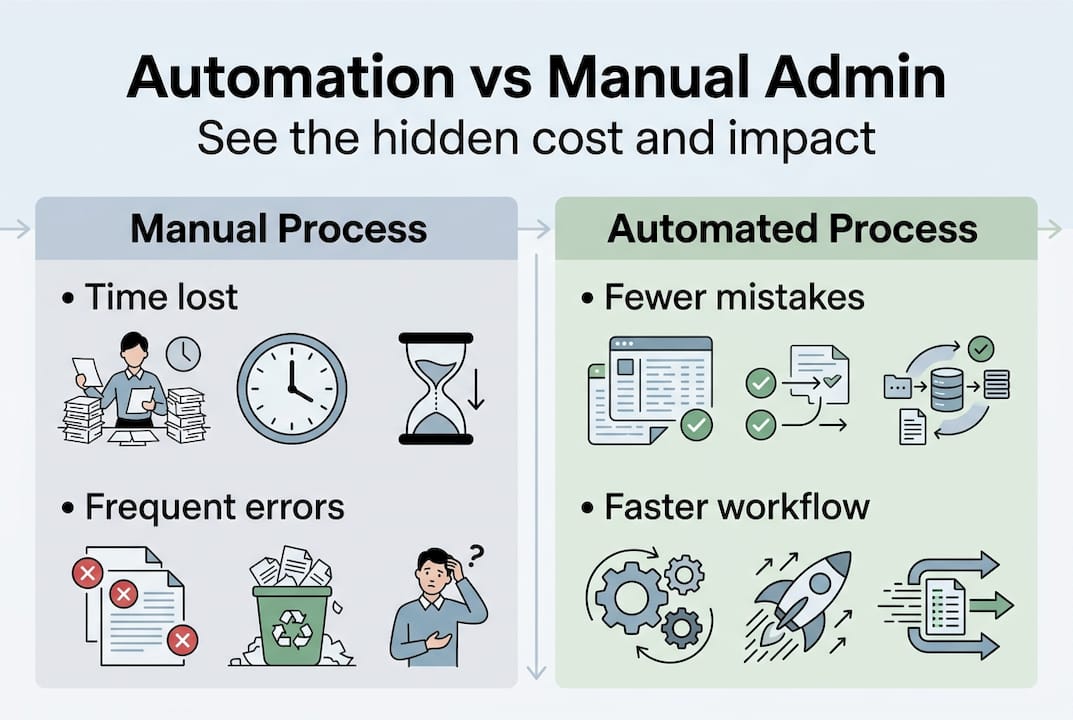
Not every task is equally ready for automation, though. Process automation workflow design requires that a task be clearly defined before software can replicate it reliably. As one industry analysis notes, RPA automates repetitive tasks through user interface mimicking, but it fails when the underlying process is poorly designed or inconsistent.
Pro Tip: Keep a simple weekly log for two weeks where each team member records every task they repeat more than three times. You will quickly see patterns that point directly to your best automation opportunities.
The goal at this stage is not to automate everything at once. It is to build a clear picture of where manual work is costing you the most, so your automation investment targets the highest-value problems first.
The real impact: Why automating admin tasks matters
Once you know which tasks are draining your team, the next question is: what does automation actually change? The answer goes well beyond saving a few hours per week.
Businesses that automate routine administrative work typically reduce time spent on those tasks by 20 to 40 percent. That is not a marginal gain. For a 15-person team where each person spends two hours daily on admin, a 30 percent reduction frees up roughly 270 hours per month. That is time your people can redirect toward client relationships, strategic projects, and revenue-generating work.
| Benefit area | Manual process | Automated process |
|---|---|---|
| Data entry accuracy | 96-98% (human error) | 99.9%+ |
| Invoice processing time | 3-5 days average | Same day or next day |
| Report generation | 2-4 hours manually | Minutes |
| Staff hours on admin | High, recurring | Significantly reduced |
| Compliance risk | Moderate to high | Lower with audit trails |
Cost savings extend beyond salary hours. Errors in billing, payroll, or compliance documentation carry real financial consequences. Automated systems create consistent audit trails, reduce rework, and lower the risk of regulatory penalties.
Staff morale is another underrated benefit. Employees who spend less time on low-value repetitive work report higher job satisfaction and stronger engagement. That translates into lower turnover, which is a significant cost saving on its own.
However, there is a critical warning here. Automation projects fail at a rate of 30 to 50 percent when businesses skip process improvement before deploying technology. Automating a broken process does not fix it. It scales the problem.
“The technology is rarely the bottleneck. The process behind it is.” This is the insight that separates businesses that see strong ROI from those that end up with expensive software sitting underused.
Exploring industry automation efficiency examples shows that the businesses achieving the best results treat automation as a process improvement initiative first, and a technology initiative second.

Common pitfalls: Why automation efforts fail
Understanding the benefits is only half the picture. Knowing where automation projects go wrong is what protects your investment.
The most common reasons SME automation initiatives underdeliver:
- Automating a broken process. If your approval workflow has unclear ownership or inconsistent steps, software will replicate that confusion at scale. Fix the process first.
- Skipping staff training. Automation changes how people work. Without proper onboarding, teams resist new tools or work around them, negating the efficiency gains.
- Poor change management. Leaders who announce automation without explaining the “why” create anxiety. Staff worry about job security rather than embracing the opportunity.
- Choosing tools before defining needs. Buying software because it is popular, rather than because it solves a specific problem, leads to poor adoption and wasted budget.
- No measurement framework. Without baseline metrics, you cannot prove ROI or identify where the automation needs adjustment.
The data on this is sobering. RPA failure rates of 30 to 50 percent are directly tied to skipping process redesign before deployment. This is not a technology problem. It is a methodology problem.
“Automation amplifies what already exists. If your process is efficient, automation makes it faster. If your process is broken, automation makes the problem bigger, faster.”
Pursuing process excellence through automation means treating the redesign phase as non-negotiable, not optional.
Pro Tip: Before selecting any automation tool, map your target process on a whiteboard. Walk through every step, every decision point, and every exception. If you cannot explain the process clearly on paper, software cannot execute it reliably.
The businesses that succeed with automation are those that slow down at the planning stage so they can move faster at the execution stage. That discipline is what separates a successful rollout from a costly setback.
How to approach automation for maximum results
With a clear understanding of the risks, here is a practical framework for getting automation right from the start.
Classic RPA vs. modern workflow automation
| Factor | Classic RPA | Modern workflow automation |
|---|---|---|
| Setup complexity | High, requires technical expertise | Moderate, often no-code or low-code |
| Flexibility | Low, brittle with process changes | Higher, adapts more easily |
| Best for | Stable, high-volume legacy tasks | Dynamic, cross-system workflows |
| Cost | Higher upfront | More scalable pricing models |
| Integration | Limited to UI mimicking | Native API and system integrations |
As effective automation experts consistently note, deploying RPA software without process redesign is one of the most expensive mistakes a business can make.
Here is the five-step framework we recommend:
- Map your current process. Document every step, input, output, and decision point. Include exceptions and edge cases.
- Redesign for clarity. Eliminate unnecessary steps, clarify ownership, and standardize inputs before touching any software.
- Select the right technology. Match the tool to the process complexity, your team’s technical capacity, and your integration requirements.
- Train your staff. Invest in onboarding that explains both how the tool works and why the change benefits the team.
- Measure and improve. Set baseline metrics before launch. Review results monthly and adjust the workflow as your business evolves.
Start with one process. Test it thoroughly. Expand only after you have proven results and your team is confident. This approach, outlined in detail through a solid business automation strategy, reduces risk and builds internal momentum.
For teams looking to go further, applying AI workflow optimization tips can layer intelligent decision-making on top of your automated processes, handling exceptions and adapting to changing conditions without manual intervention.
A smarter way to automate: Lessons we’ve learned
Here is a perspective that most automation guides skip entirely. The businesses that struggle most with automation are not the ones that lack budget or technical skills. They are the ones that treat automation as a destination rather than a discipline.
Leaders often chase the newest tool, believing that technology alone will fix operational drag. It will not. The most reliable predictor of automation ROI is process clarity before any software is selected. Every hour spent mapping and improving a process before automating it saves multiple hours of rework after deployment.
The smartest automation strategies we have seen start with a business pain point, not a product demo. They ask: “What is costing us the most right now, and why?” That question leads to better process design, better tool selection, and faster results.
Using an AI automation checklist before any implementation helps ensure you are solving the right problem with the right approach. That discipline is what turns automation from a cost center into a competitive advantage.
Take the next step: Bring true efficiency to your business
If this guide has clarified where your admin bottlenecks are and what it takes to address them properly, the next move is to act with the right support behind you. At Airitual, we help SMEs design and implement automation strategies that are grounded in process improvement, not just technology deployment. Our business automation services are built around your specific workflows, your team’s capacity, and your growth goals. We also provide AI integration tips and hands-on guidance to ensure your investment delivers measurable results. Schedule a FREE Strategy Session with our team and start building an automation roadmap that actually works for your business.
Frequently asked questions
What types of administrative tasks are best suited for automation?
Routine, repetitive, and rules-based tasks like data entry, invoice processing, scheduling, and standard reporting are ideal candidates because RPA automates repetitive tasks through consistent, predictable steps that software can replicate reliably.
Why do some automation projects fail in small businesses?
Automation projects most often fail when businesses automate broken or unclear processes without redesigning them first, and 30 to 50 percent of RPA initiatives fall short for exactly this reason.
Is automation affordable for SMEs?
Modern automation solutions are increasingly affordable and scalable, with many no-code and low-code platforms offering pricing models that fit small and medium-sized business budgets without requiring a dedicated IT team.
How quickly can a small company see ROI from automation?
Many businesses see measurable returns in efficiency and cost control within the first few months when automation is applied to well-chosen, clearly defined processes with proper staff training in place.
Recommended
- Master Business Automation Workflow for Higher Efficiency | Artificial Intelligence
- How to Automate Workflows for Efficient Business Operations | Artificial Intelligence
- Implement Process Automation Workflow for Seamless Efficiency | Artificial Intelligence
- Why use education automation to boost efficiency | Artificial Intelligence
- Why Automate WordPress Tasks for Business Efficiency – WPCTO
- Why outsource administrative services: 60% cost savings
Recent Comments